Close Menu
  • Home
  • Latest News
  • Tech News
  • Blog
  • Contact

Subscribe to Updates

Get the latest creative news from FooBar about art, design and business.

What's Hot

Apple September 9, 2025 Event: iPhone 17, Apple Watch Ultra 3, AirPods Pro 3 & More

August 28, 2025

India says goodbye to GPS, to have its own desi navigation system, IRNSS

August 22, 2025

Ad Blockers Could be Banned in Germany

August 22, 2025
Facebook X (Twitter) Instagram
Today Bridge
  • Home
  • Latest News
  • Tech News
  • Blog
  • Contact
Facebook X (Twitter) Instagram
Today Bridge
Home » How to View Locked Facebook Profile Photos Download
Tech News

How to View Locked Facebook Profile Photos Download

Todays BridgeBy Todays BridgeAugust 6, 2025No Comments2 Mins Read
Share Facebook Twitter Pinterest LinkedIn Tumblr Reddit Telegram Email
locked Facebook profile
Share
Facebook Twitter LinkedIn Pinterest Email

Table of Contents

Toggle
  • How to View Locked Facebook Profile Photos (Download Photos)
  • 1. View Locked Facebook Profile Photos using Inspect Elements
  • 2. View Using Dionna Facebook Profile Picture Viewer
  • 3. View Facebook Profile Picture with SaveThat
  • 4. Use Facebook Search Filters
  • 5. Connect with Mutual Friends
  • 6. Send a Friend Request
  • 7. Create and Use a Different Facebook Account
  • Frequently Asked Questions (FAQs)

How to View Locked Facebook Profile Photos (Download Photos)

Learn various ways to view or download locked Facebook profile pictures with or without being friends. If you see Profile locked on someone’s profile, that person has chosen to lock their profile and show a limited view of their profile content. You can view locked Facebook profile photos or cover photos using the Inspect Elements option in the Google Chrome browser.
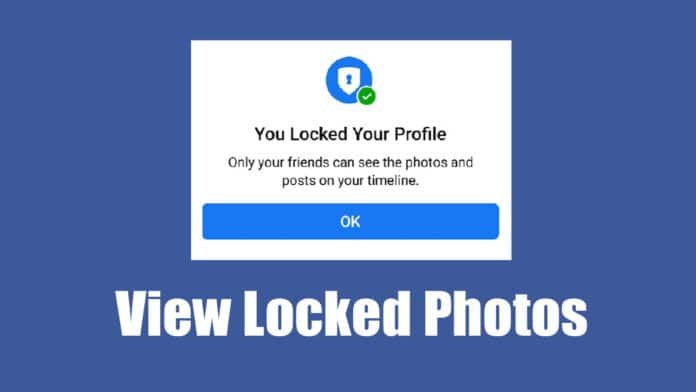
View Locked Facebook Profile

1. View Locked Facebook Profile Photos using Inspect Elements

  1. Open the locked profile.
  2. Right-click on the page and select Inspect.
  3. Switch to the Sources tab in the developer console.
  4. Expand the folders starting with scontent.
  5. Find the image source, right-click and open in a new tab.
  6. Save the image to your device.

2. View Using Dionna Facebook Profile Picture Viewer

  1. Visit the Dionna Facebook picture viewer website.
  2. Copy the URL of the locked profile.
  3. Paste it into the tool and click Unlock Picture.
  4. Click Download HD to save the image.

Note: May not always work depending on Facebook updates.

3. View Facebook Profile Picture with SaveThat

  1. Go to the SaveThat Facebook photo viewer.
  2. Paste the profile link of the person.
  3. Click Unlock Profile.
  4. Download the profile photo once it loads.

4. Use Facebook Search Filters

Try searching Photos of <Name> in Facebook search.

Switch to the Photos tab to view tagged or public photos.

5. Connect with Mutual Friends

Add friends of the locked profile. This may let you view mutual content like tagged photos and posts.

6. Send a Friend Request

The simplest method. Send a friend request and wait for them to accept to access full profile photos and details.

7. Create and Use a Different Facebook Account

If uncomfortable using your main account, create a second Facebook profile and send a friend request to the locked account.

Frequently Asked Questions (FAQs)

  • Can You view a locked Facebook Profile Picture? Not officially, but workarounds exist.
  • Can you view the locked profile picture in full size? Yes, using inspect element or certain tools.
  • How to View Locked Profile on Facebook Mobile? Use web tools via mobile browser, though they may not always work.
Share. Facebook Twitter Pinterest LinkedIn Tumblr Email
Previous ArticleGrand Theft Auto: San Andreas For PC Download
Next Article WhatsApp To Launch ‘Guest Chats’ For Non-Users
Todays Bridge
  • Website

A dedicated Fantasy Cricket Analyst with a deep passion for the game, focused on delivering insightful stats and well-researched predictions to empower others in making smart Fantasy Cricket decisions.

Related Posts

Latest News

Apple September 9, 2025 Event: iPhone 17, Apple Watch Ultra 3, AirPods Pro 3 & More

August 28, 2025
Tech News

India says goodbye to GPS, to have its own desi navigation system, IRNSS

August 22, 2025
Tech News

Ad Blockers Could be Banned in Germany

August 22, 2025
Add A Comment
Leave A Reply Cancel Reply

ad

Apple September 9, 2025 Event: iPhone 17, Apple Watch Ultra 3, AirPods Pro 3 & More

August 28, 2025

India says goodbye to GPS, to have its own desi navigation system, IRNSS

August 22, 2025

Ad Blockers Could be Banned in Germany

August 22, 2025

India Squad for Asia Cup 2025

August 22, 2025
Most Popular

Top 10 Most Popular Torrent Sites 2025

January 7, 202585 Views

Toss Prediction for Today’s International Matches – February 13, 2025

December 28, 202466 Views

Apple Agrees to $95 Million Settlement in Siri Privacy Lawsuit

January 7, 202522 Views
Our Picks

Apple September 9, 2025 Event: iPhone 17, Apple Watch Ultra 3, AirPods Pro 3 & More

August 28, 2025

India says goodbye to GPS, to have its own desi navigation system, IRNSS

August 22, 2025

Ad Blockers Could be Banned in Germany

August 22, 2025

Subscribe to Updates

Get the latest creative news from FooBar about art, design and business.

Facebook X (Twitter) Instagram Pinterest
  • DMCA Policy
  • Terms and Conditions
  • Privacy Policy
  • Get In Touch
© Copyright 2026 Today Bridge . Designed by Web Design & Development.

Type above and press Enter to search. Press Esc to cancel.