
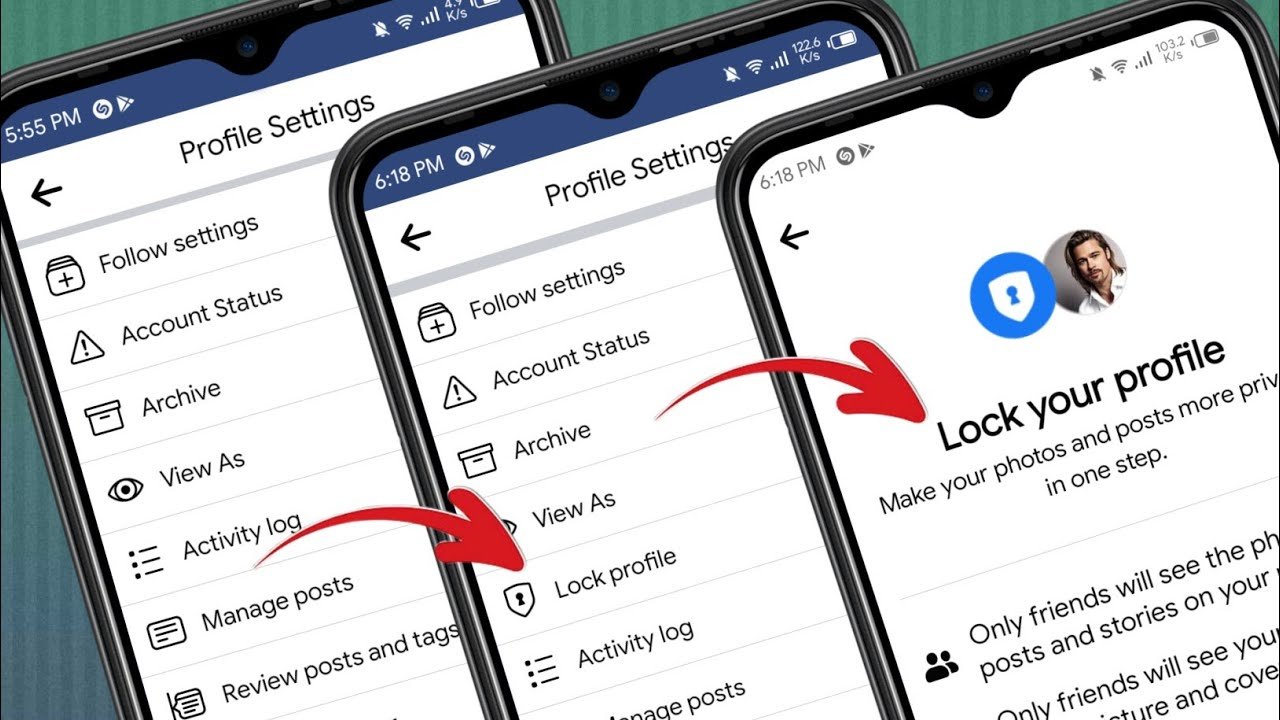
If the “Lock Profile” option is not showing on Facebook, it could be due to a number of reasons. The Lock Profile feature allows you to make your Facebook profile more private by restricting who can see your posts and information. Here’s a guide to troubleshoot why it’s not appearing and how to fix it:
1. Check for Regional Availability
- Feature Availability: The Profile Lock feature is not available in all regions or countries. Facebook rolls out features in stages, so it may not have been made available in your country yet.
- How to Check: If you’re in a country where the feature isn’t available, it will simply not show up in your settings. Unfortunately, there’s not much you can do to enable it manually until Facebook rolls it out to your region.
2. Update the Facebook App or Browser
- Outdated App: If you’re using the Facebook app on your smartphone, make sure the app is updated to the latest version. Some features may not appear if the app is out of date.
- App Update: Go to the App Store (iOS) or Google Play Store (Android), search for Facebook, and check for updates.
- Browser Update: If you’re using Facebook in a web browser, ensure that your browser is updated to the latest version.
3. Check Your Account Settings
- Check Profile Lock Settings: The Profile Lock feature is available only when you meet specific conditions, such as having a public profile (i.e., anyone can view your profile). If your profile is already set to private, the Lock Profile option may not appear.
- How to Lock Profile:
- On Mobile (App):
- Go to your profile page.
- Tap the three dots (•••) near your profile picture or at the top of the screen.
- Look for the Lock Profile option. If it’s there, tap it and follow the on-screen instructions.
- On Desktop:
- Go to your profile page.
- Click on the three dots (•••) near your cover photo.
- If the Lock Profile option is available, it should appear in the dropdown menu.
- On Mobile (App):
4. Profile Restrictions
- Privacy Settings: If your profile is already set to maximum privacy, the Lock Profile feature may be redundant, and Facebook might not show the option. To adjust your privacy settings:
- On Mobile: Go to your profile → Tap the three lines (hamburger menu) → Settings & Privacy → Settings → Privacy → Adjust settings accordingly.
- On Desktop: Go to the top right of Facebook → Click the down arrow → Settings & Privacy → Settings → Privacy → Adjust who can see your posts, friend list, etc.
5. Account Type
- Personal Profile vs. Business Page: The Lock Profile feature only works on personal profiles. If you have a business page or a public figure profile, you won’t see this option.
- Ensure you are on a personal account and not a fan page or a business profile.
6. Profile Lock Feature is Hidden
- Feature Visibility: If Facebook has rolled out the feature in your region but it’s still not appearing, it could be an issue with Facebook’s interface or a bug. Sometimes features are not displayed immediately to all users.
- What to Do:
- Try Logging Out and Back In: Sometimes logging out and back in can resolve small glitches with feature visibility.
- Try a Different Device or Browser: If you’re using Facebook on a mobile app, try using it on the desktop or another device to see if the feature appears.
- Contact Facebook Support: If nothing works, you can try reaching out to Facebook’s Help Center for more information on why the feature is unavailable.
7. Profile Lock Not Available for New Accounts
- New Accounts: If your account is relatively new, some features, including Lock Profile, may not be available until your account has aged a bit.
- Solution: Wait for some time (usually a few weeks to months) and the feature should eventually appear.
8. Facebook Testing Changes
- A/B Testing: Facebook occasionally runs tests with users by showing different versions of the app or web interface. If you’re part of one of these tests, some features might be hidden or appear differently.
- Workaround: Unfortunately, there’s not much you can do in this case other than wait for Facebook to finalize the feature rollout.
Recap of What You Can Do:
- Ensure your app/browser is updated.
- Verify your region supports the “Lock Profile” feature.
- Check if your profile meets the criteria (e.g., public profile, personal account).
- Try logging out and back in or using a different device.
- Be patient if the feature isn’t available yet or if you’re part of a test group.
If the Lock Profile feature is still not showing, it may be a matter of waiting for Facebook to roll it out to your region or account type. Keep an eye on any official announcements from Facebook regarding feature availability.
